
Lunar Echoes
Rolling base. Scrolling space. Console pace.
Ein minimalistisches, stabiles und tastaturgesteuertes Betriebssystem basierend auf Arch Linux mit integrierten modifizierten MX-Tools.
A minimalist, stable, and keyboard-driven operating system based on Arch Linux with integrated modified MX-Tools.
HauptmerkmaleKey Features
Arch Linux Basis
Arch Linux Base
Nutzt den bewährten, hochstabilen und flexiblen Unterbau des Arch-Ökosystems, ergänzt um die bewährte Flexibilität der MX-Tools.
It utilizes the proven, highly stable, and flexible foundation of the Arch ecosystem, complemented by the proven flexibility of the MX tools.
niri WM + MangoWM
niri WM + MangoWM
Zwei Welten, eine Bedienung. Wähle flexibel zwischen dem unendlich horizontal scrollenden niri WM oder dem rasanten, auf wlroots/scenefx basierenden MangoWM für klassisches Master-Stack-Tiling. Dank identischer Keybindings und der Noctalia Shell erfolgt der Wechsel nahtlos beim Login via SDDM – ohne jede Umgewöhnung.
Two worlds, one workflow. Choose flexibly between the infinitely horizontal scrolling niri WM or the blazing-fast, wlroots/scenefx-based MangoWM for classic master-stack tiling. Thanks to identical keybindings and the Noctalia Shell, switching is seamless at login via SDDM – requiring zero retraining.
noctalia Shell
noctalia Shell
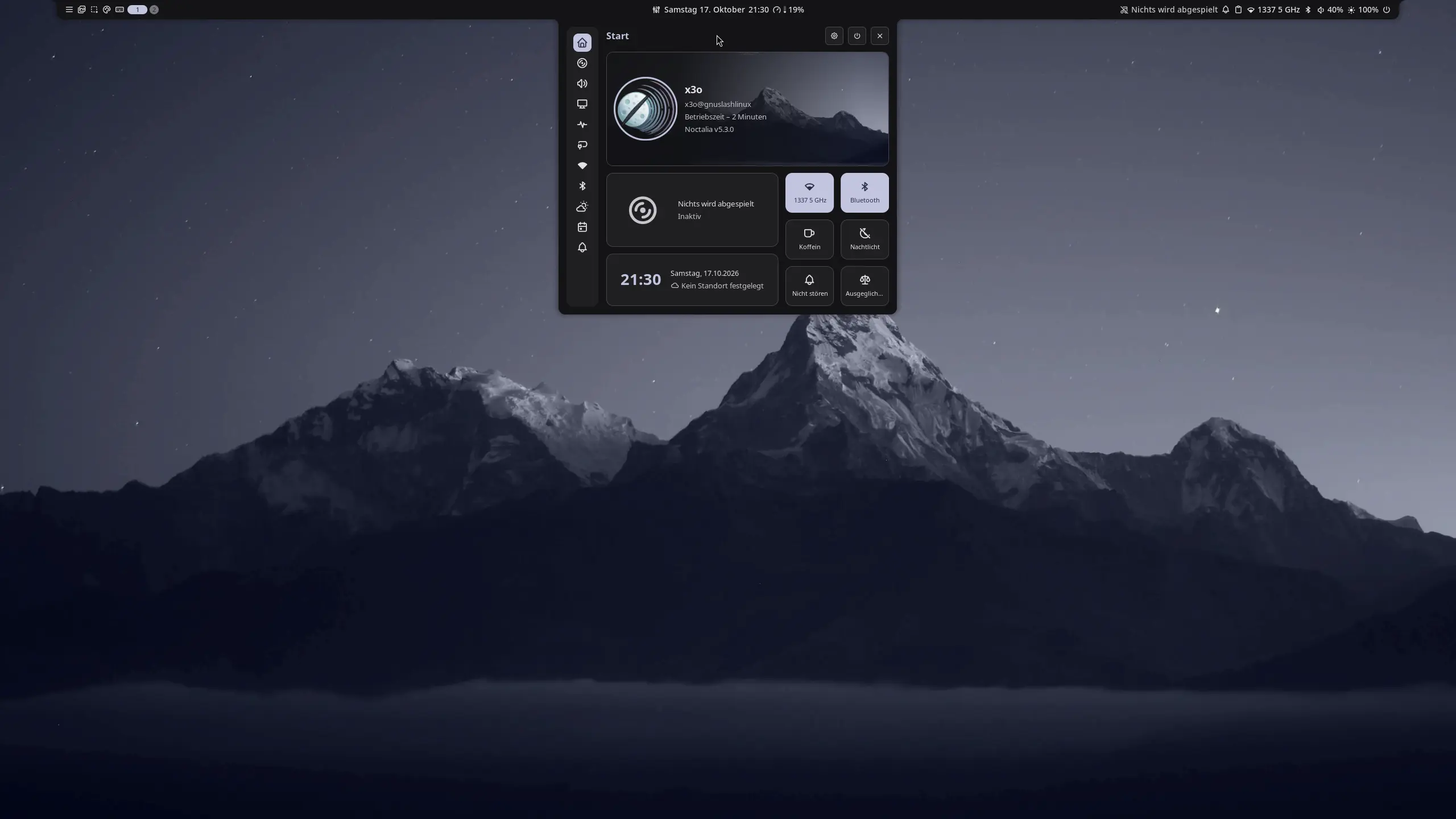
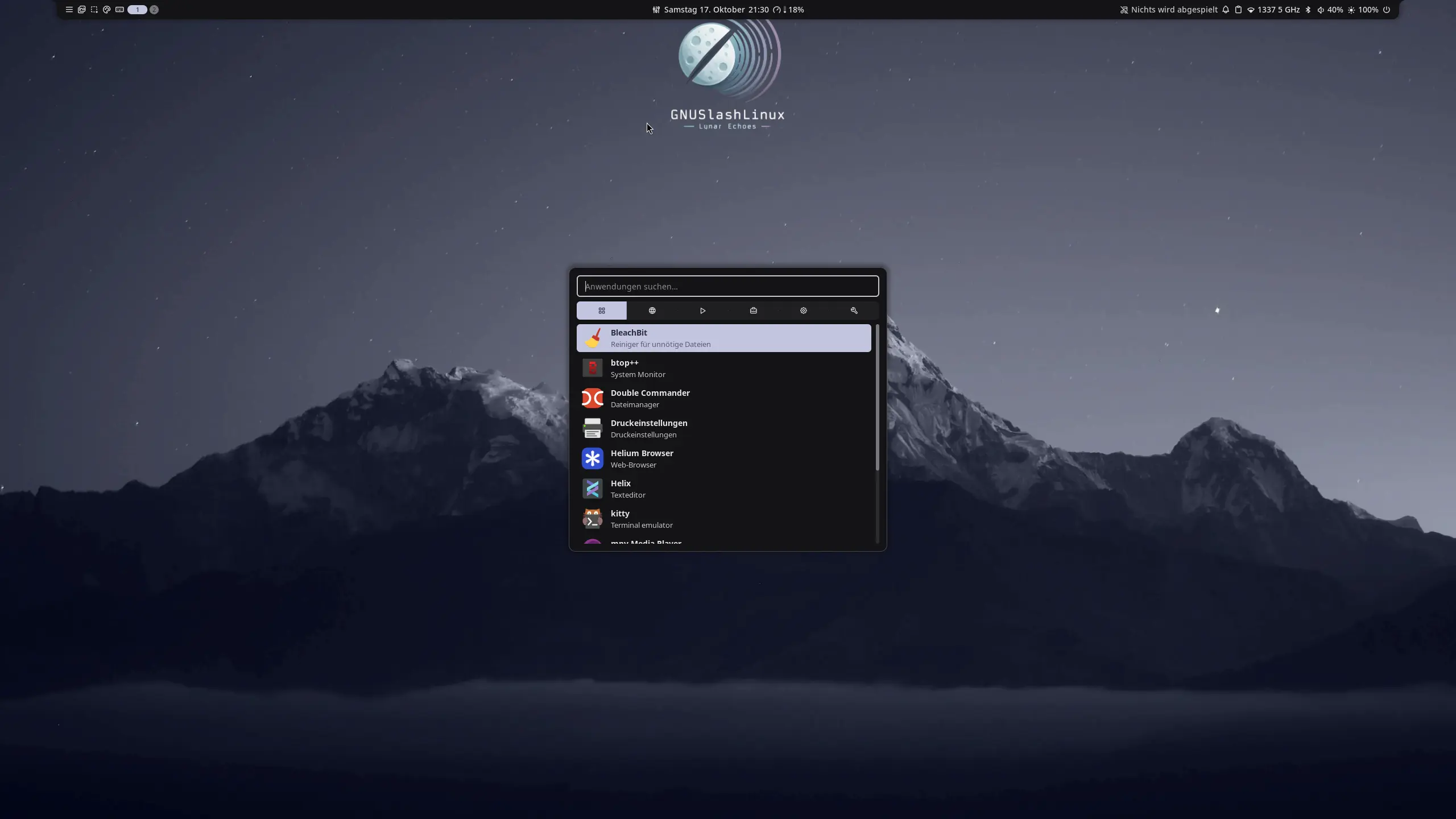
Eine elegante, minimalistische Desktop-Shell, die nativ mit niri WM und MangoWM harmoniert. Sie vereint Statusleisten, Launcher, Benachrichtigungen und das Control Center in einer konsistenten, TOML-konfigurierbaren Oberfläche.
A sleek, minimalist desktop shell that natively harmonizes with niri WM and MangoWM. It combines status bars, launchers, notifications and the Control Center in a consistent, TOML-configurable interface.
Kitty Terminal
Kitty Terminal
Ein GPU-beschleunigter Terminal-Emulator, der die Rechenleistung der Grafikkarte nutzt, um Latenzen minimal zu halten. Unterstützt native Fenster-Splits und hochentwickelte Grafik-Protokolle.
A GPU-accelerated terminal emulator that leverages the graphics card's processing power to minimize latency. It supports native window splitting and advanced graphics protocols.
Helium Browser
Helium Browser
Ein datenschutzfokussierter Browser auf Ungoogled-Chromium-Basis. Er entfernt standardmäßig sämtliche Google-Telemetrie und Hintergrund-Datenströme. Mit integriertem Werbeblocker und kompaktem UI-Modus fügt er sich perfekt in das System ein.
A privacy-focused browser based on Ungoogled Chromium. It removes all Google telemetry and background data streams by default. With a built-in ad blocker and a compact UI mode, it integrates seamlessly into the system.
Helix Editor
Helix Editor
Ein moderner, in Rust geschriebener Terminal-Texteditor. Inspiriert von Vim, setzt er auf das "Selection-First"-Prinzip und bringt native LSP-Unterstützung (Language Server Protocol) sowie Tree-sitter-Syntax-Highlighting direkt ohne Plugins mit.
A modern terminal text editor written in Rust. Inspired by Vim, it adopts the "selection-first" principle and comes with native LSP (Language Server Protocol) support and Tree-sitter syntax highlighting built-in—no plugins required.
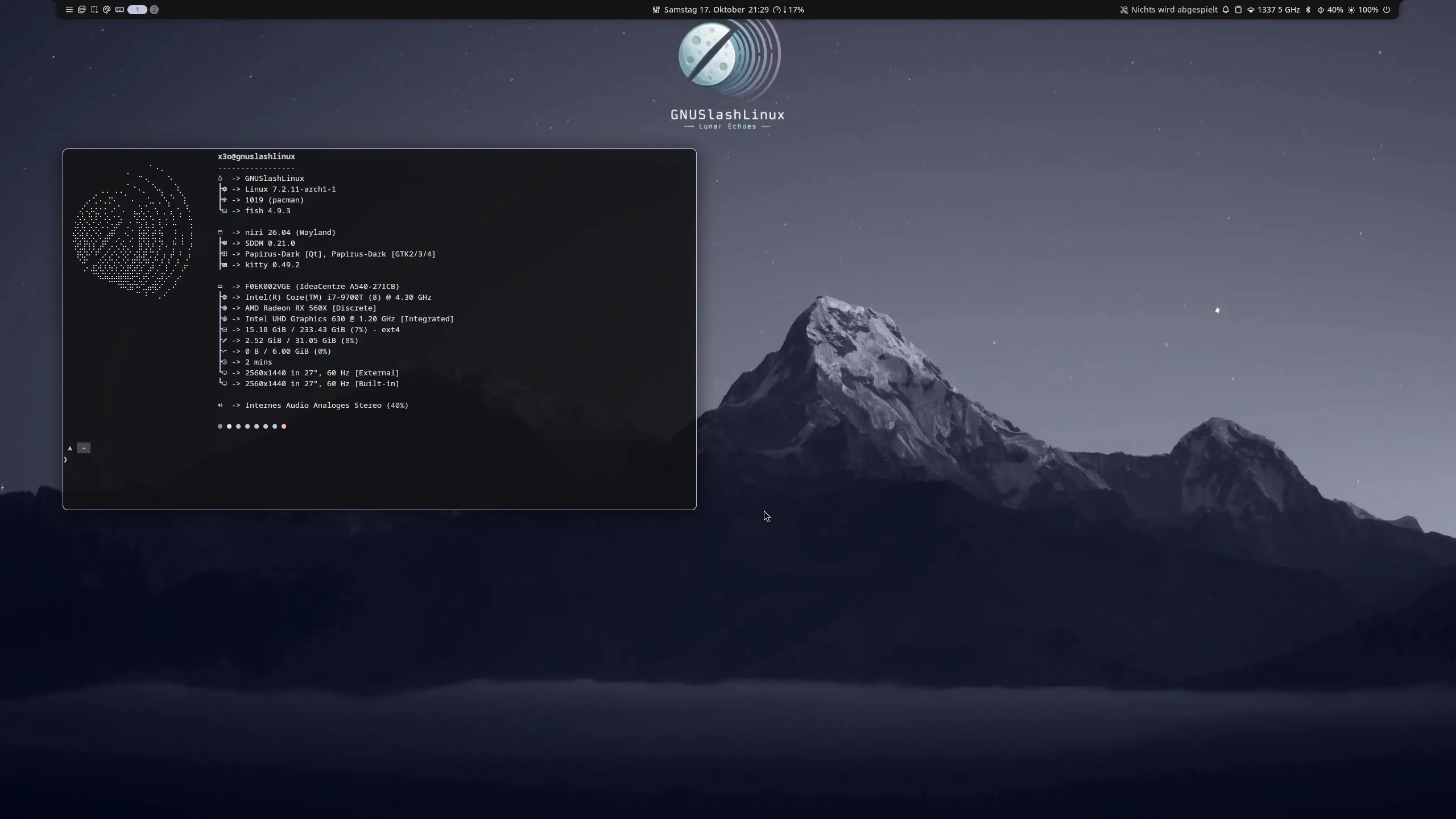
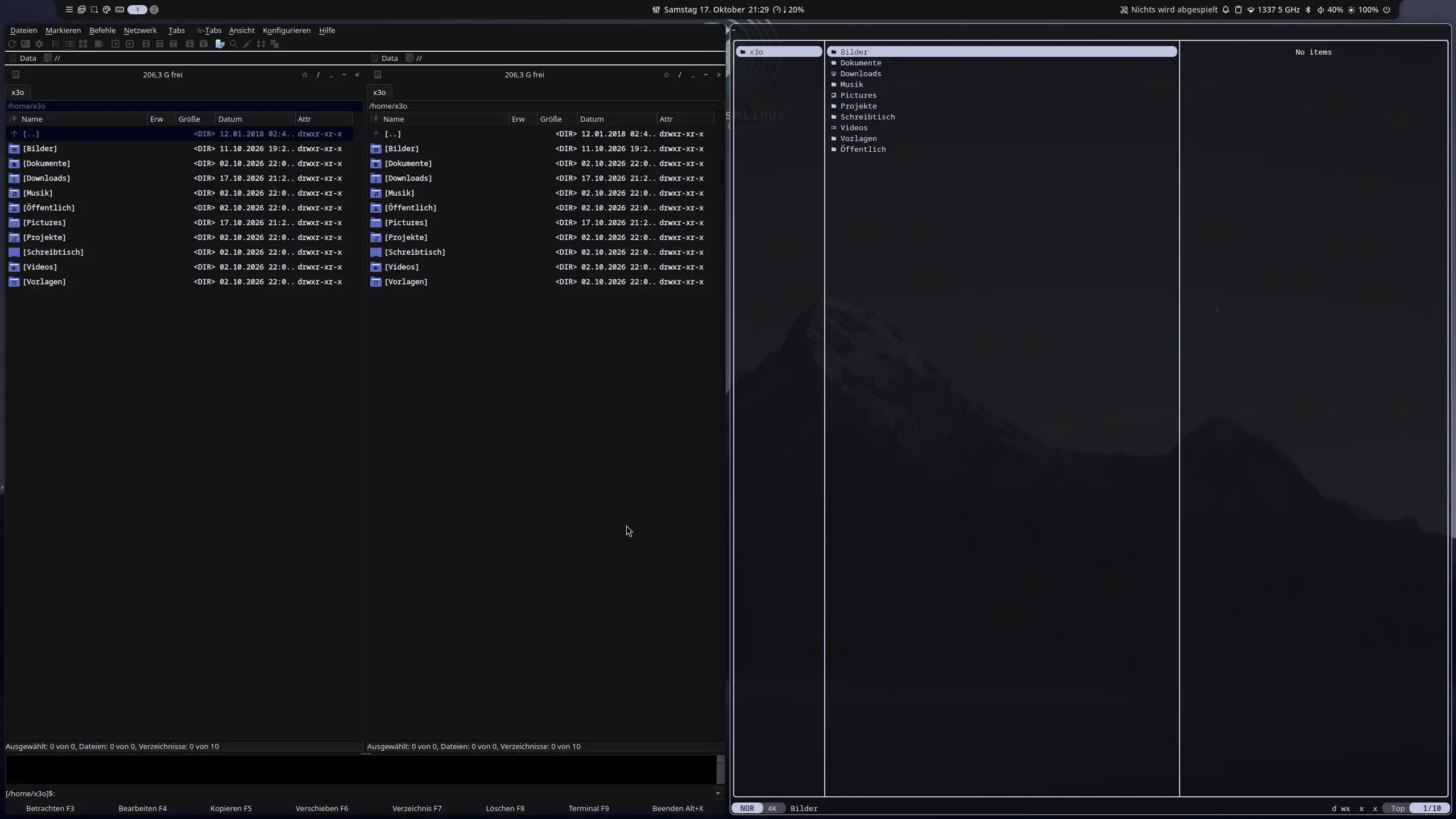
Screenshots & EindrückeScreenshots & Impressions
niri WM
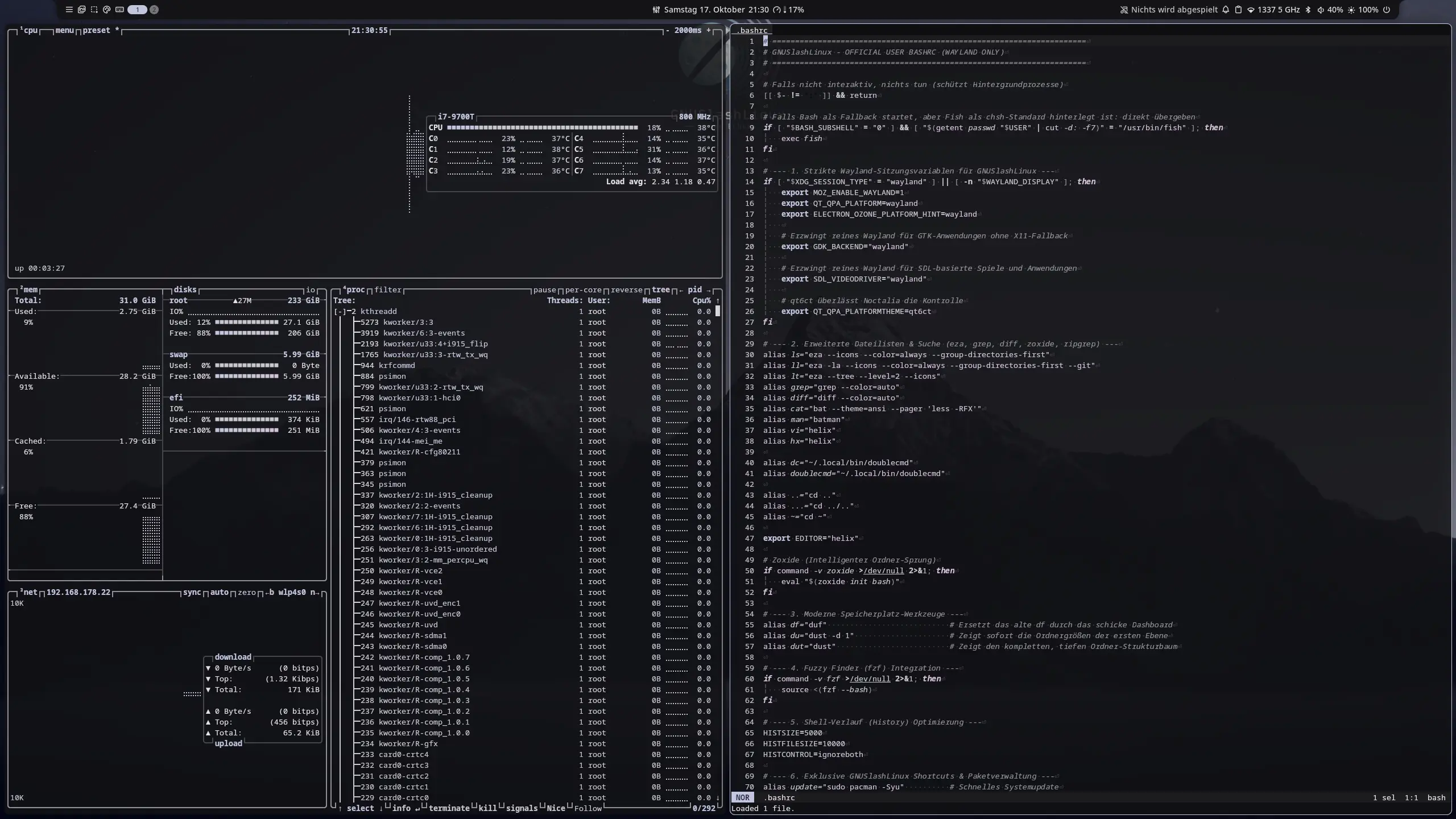
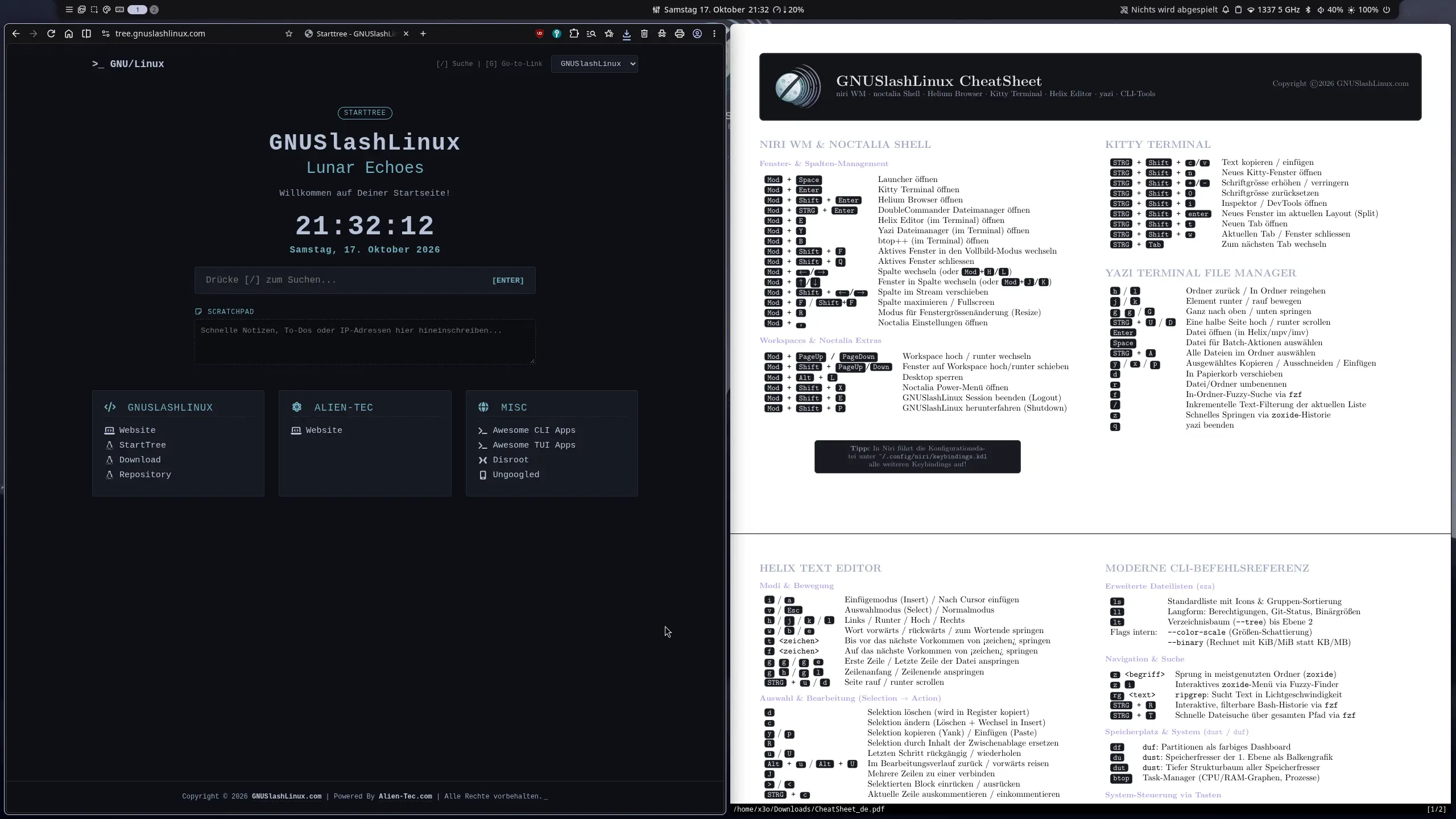
MangoWM
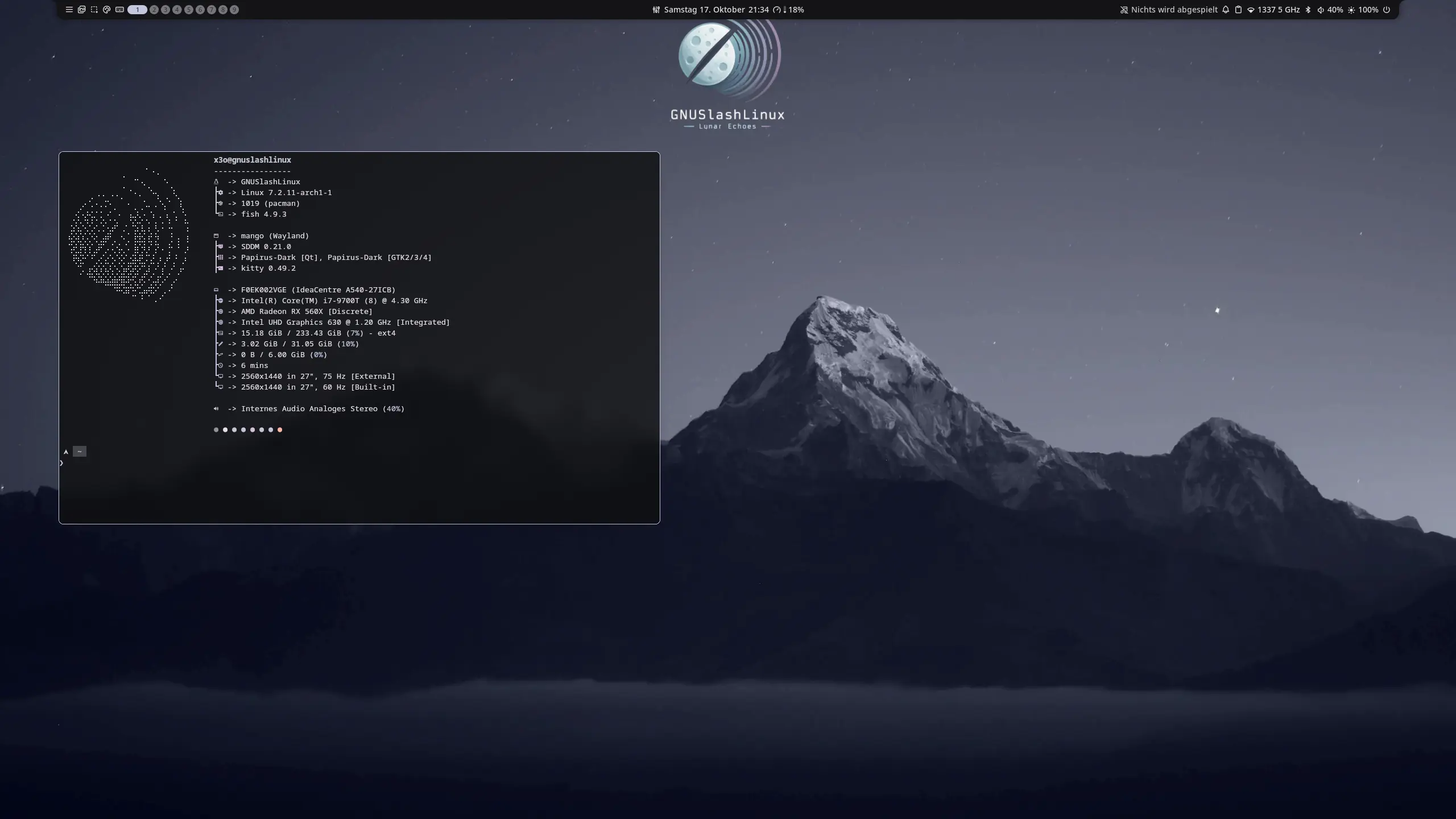
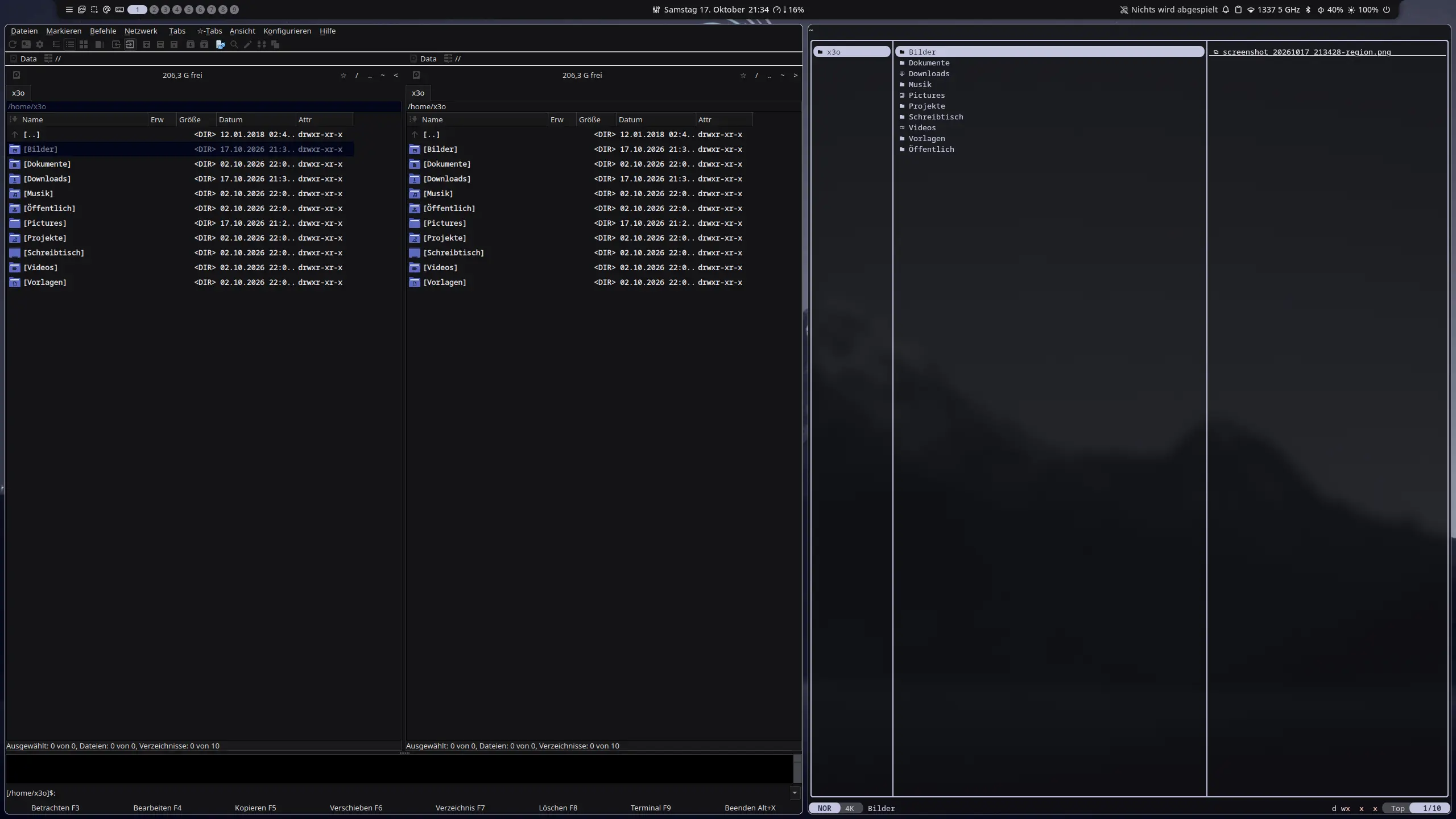
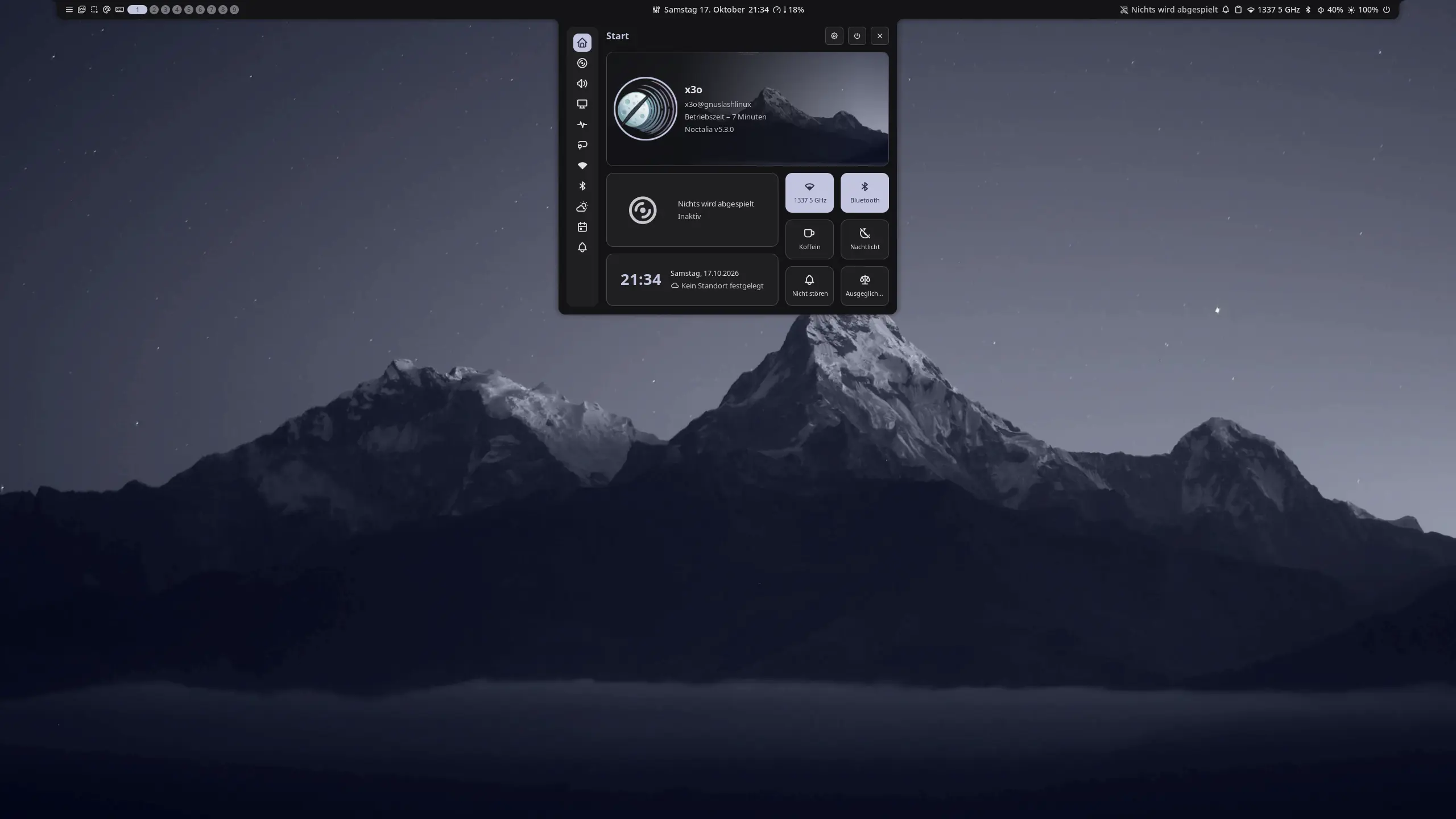
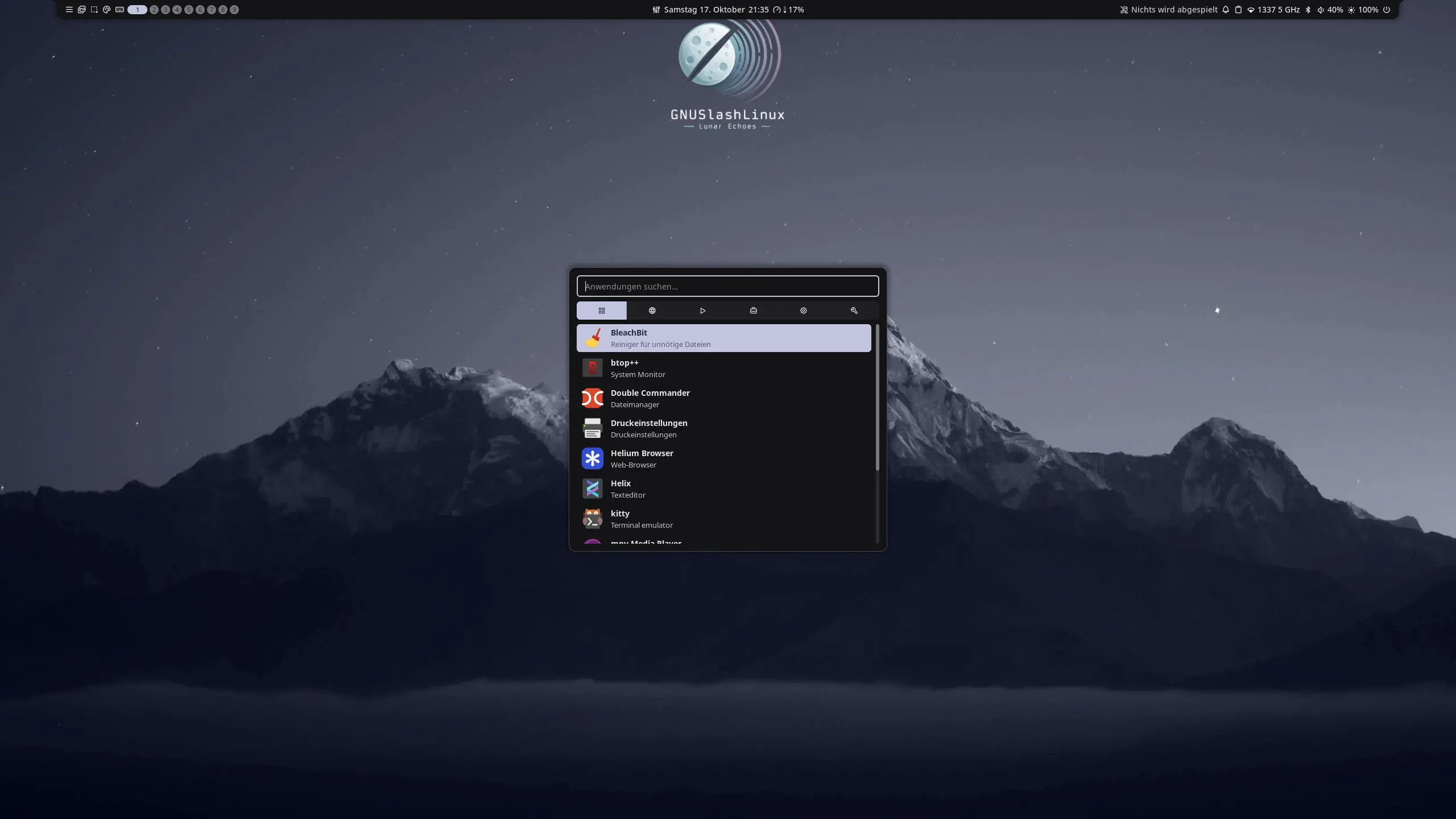
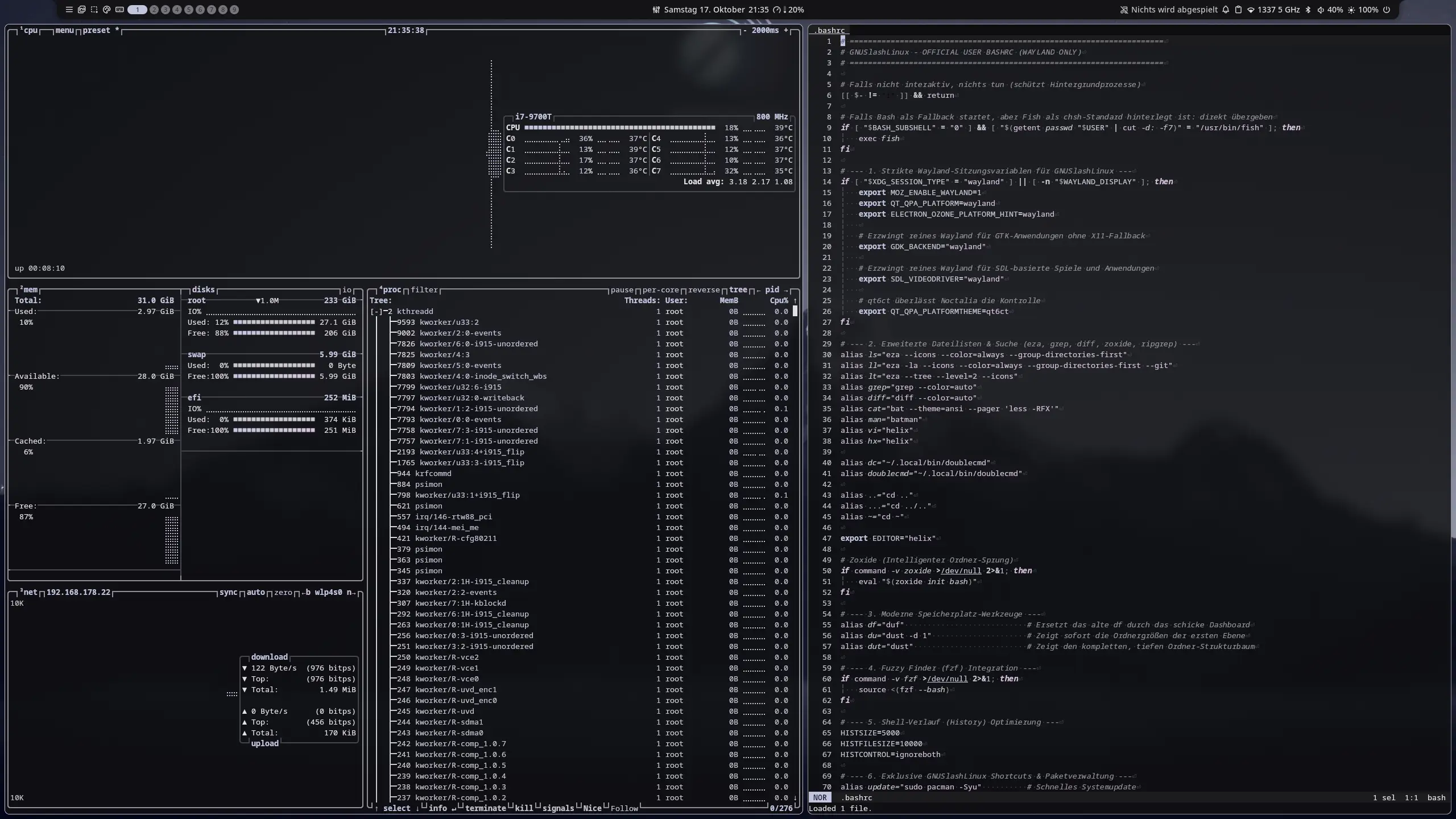
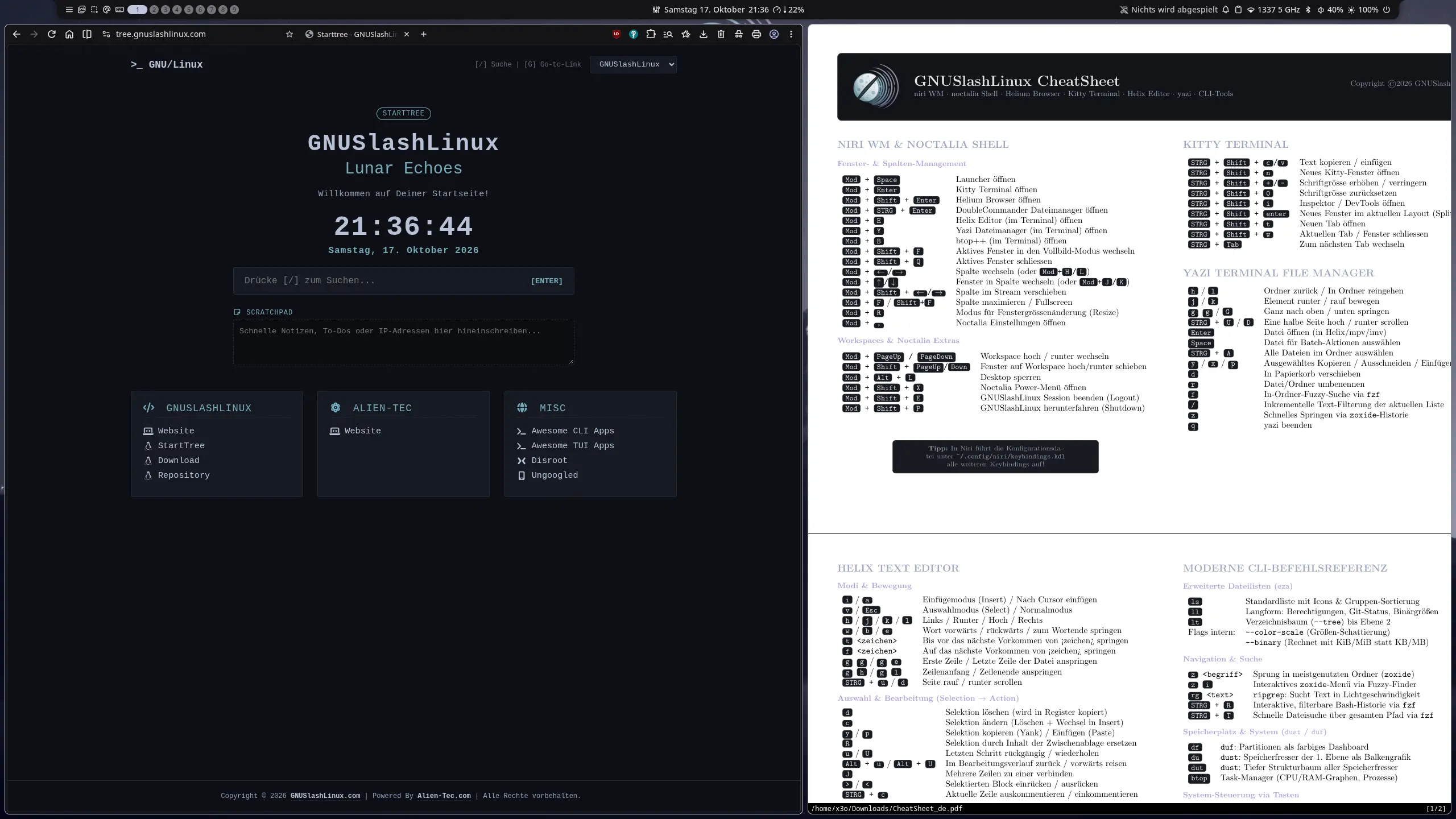
Vollständiges Tastenkombinationen-RegisterComplete Keybindings Registry
Launchers & Starters
Window & Focus Control
Workspace Management
System & UI
Häufig gestellte Fragen (FAQ)Frequently Asked Questions (FAQ)
GNUSlashLinux (Lunar Echoes) ist eine innovative, Arch-basierte Rolling-Release-Distribution von Alien-Tec. Sie wurde speziell für Entwickler und Power-User entwickelt, die ein schlankes, tastaturgesteuertes System ohne unnötigen Ballast suchen. Anstelle schwerer Desktop-Umgebungen setzt GNUSlashLinux konsequent auf einen hochperformanten Wayland-Stack. Als Herzstück dient der einzigartige, horizontal scrollende Fenstermanager niri WM, der perfekt mit der minimalistischen Noctalia Shell harmoniert. Die Distribution liefert ein kompromissloses Toolset für maximale Effizienz out-of-the-box. Dazu gehören das GPU-beschleunigte Kitty Terminal, der moderne Helix Texteditor sowie der asynchrone TUI-Dateimanager yazi. Abgerundet wird das System durch den datenschutzfokussierten Helium Browser (Ungoogled-Chromium) und populäre, vorkonfigurierte Farbschemata wie Nord, Tokyo Night und Gruvbox. GNUSlashLinux kombiniert die Unix-Philosophie mit modernsten CLI-Werkzeugen.
GNUSlashLinux (Lunar Echoes) is an innovative, Arch-based rolling-release distribution from Alien-Tec. It is designed specifically for developers and power users seeking a lean, keyboard-driven system free of unnecessary bloat. Instead of heavy desktop environments, GNUSlashLinux consistently relies on a high-performance Wayland stack. At its core lies the unique, horizontally scrolling window manager niri WM, which harmonizes perfectly with the minimalist Noctalia Shell. The distribution provides an uncompromising toolset for maximum efficiency right out of the box. This includes the GPU-accelerated Kitty terminal, the modern Helix text editor, and the asynchronous TUI file manager yazi. The system is rounded out by the privacy-focused Helium Browser (Ungoogled-Chromium) and popular, pre-configured color schemes such as Nord, Tokyo Night, and Gruvbox. GNUSlashLinux combines the Unix philosophy with state-of-the-art CLI tools.
Benutzername / Passwort:
Username / password:
Öffne ein Terminal und verwende den Befehl:
Open a terminal and use the command:
Die Mod-Taste (kurz für Modifier-Taste) ist die Haupt-Steuerungstaste in niri. Sie wird genutzt, um fast alle Tastaturkurzbefehle (Shortcuts) für die Fensterverwaltung auszuführen.
Unter GNUSlashLinux ist die Mod-Taste standardmäßig wie folgt belegt:
- Windows-Taste / Super-Taste (auf PC-Tastaturen)
- Command-Taste / Apfel-Taste / ⌘ (auf Apple-Tastaturen)
Konfiguration:
Die Einstellungen und Shortcuts werden in der Datei
~/.config/niri/config.kdl
bzw.
~/.config/niri/keybinds.kdl
festgelegt. Dort kannst du die Mod-Taste bei Bedarf auch auf
die Alt-Taste umstellen:
binds {
    // standardmäßig ist mod die super-taste (mod4)
    // du kannst es hier auf "alt" ändern, wenn du möchtest
    mod="mod4"
}
The Mod key (short for modifier key) is the primary control key in niri. It is used to execute almost all keyboard shortcuts for window management.
Under GNUSlashLinux, the Mod key is mapped by default to:
- Windows key / Super key (on PC keyboards)
- Command key / Apple key / ⌘ (on Apple keyboards)
Configuration:
The settings and shortcuts are defined in the file
~/.config/niri/config.kdl
or
~/.config/niri/keybinds.kdl. You can change the Mod key to the Alt key there if
needed:
binds {
    // by default, mod is the super key (mod4)
    // you can change it to "alt" here if you prefer
    mod="mod4"
}
Über das Sourceforge Projekt im Forum.
Via the SourceForge project forum.
SystemvoraussetzungenSystem Requirements
| KomponenteComponent | MindestanforderungMinimum Requirement | EmpfohlenRecommended Requirement |
|---|---|---|
| RAM | 4 GB4 GB | 8 GB – 16 GB8 GB – 16 GB |
| SpeicherplatzStorage | 30 GB30 GB | 120 GB SSD120 GB SSD |
| Grafik (GPU)Graphics (GPU) |
1024 MB VRAM
(iGPU / DRM direkt im Kernel) 1024 MB VRAM (iGPU / DRM in kernel) |
4096 MB VRAM+
(AMD / NVIDIA GBM) 4096 MB VRAM+ (AMD / NVIDIA GBM) |
| CPU | 2 Kerne / 4 Threads2 Cores / 4 Threads | 4 Kerne / 8 Threads oder mehr4 Cores / 8 Threads or more |
Bereit für GNUSlashLinux?Ready for GNUSlashLinux?
Lade dir das ISO-Abbild herunter. Download the ISO image.
SourceForgeSourceForge get.GNUSlashLinux.comget.GNUSlashLinux.com